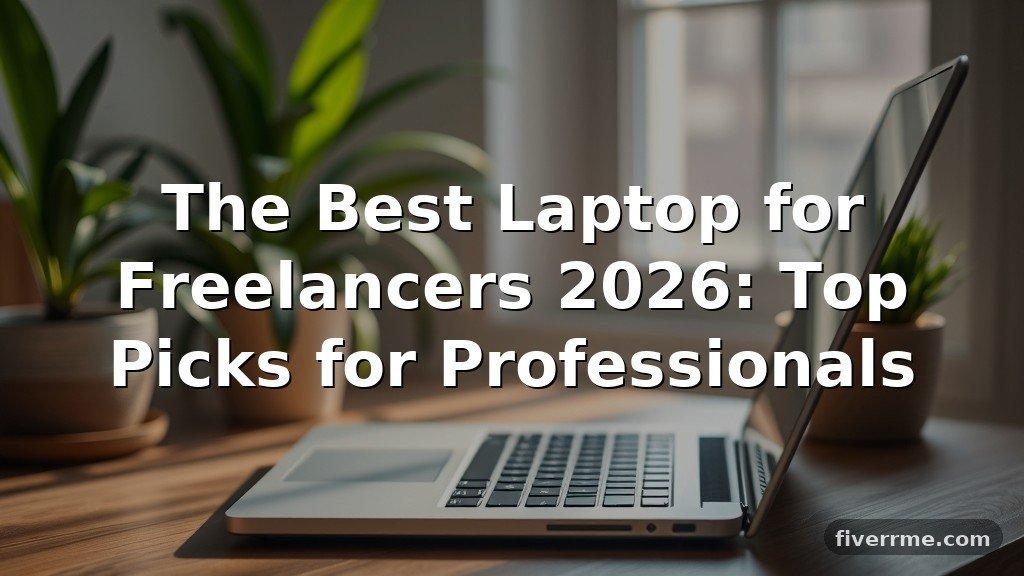
The Best Laptop for Freelancers 2026: Top Picks for Professionals
Choosing the right hardware is a foundational step for any independent professional, and finding the best laptop for freelancers 2026 requires balancing raw performance with long-term reliability. As remote work trends evolve and software demands increase, your machine must handle multitasking, high-resolution media, and secure data storage without hesitation.
This article provides a clear breakdown of the hardware specifications, market-leading models, and strategic considerations that will define your productivity over the next several years. By focusing on longevity and compatibility, you can ensure your equipment remains an asset rather than a bottleneck in your daily operations.
Top Recommendations for Freelancers in 2026
If you need a direct answer regarding the best laptop for freelancers 2026, the current market leader for general-purpose high-end work is the 14-inch MacBook Pro with the M4 Pro chip. For Windows users who require maximum versatility, the Dell XPS 13 or 15 series remains the industry standard for build quality and portability.
These machines consistently outperform competitors in thermal management, battery life, and overall chassis durability. While budget models exist, investing in these premium tiers typically yields a lower total cost of ownership over a three-year cycle due to fewer repairs and higher resale values.
Prioritizing Hardware Specifications
Performance for a freelancer is defined by the ability to keep multiple applications open simultaneously. You should look for a minimum of 16GB of unified memory or RAM, though 32GB is the safer bet for 2026 if you handle video editing or heavy data analysis.
Storage requirements have also shifted; 512GB is the bare minimum, but 1TB is now the recommended standard for professionals who store active project files locally. Solid-state drive (SSD) speeds matter more than capacity for booting applications, so prioritize NVMe PCIe Gen 4 or Gen 5 drives.
The Importance of Battery Longevity
Freelancers rarely work exclusively from a desk, making battery life a critical differentiator. Modern Apple Silicon chips have set a new benchmark, often delivering 15 to 18 hours of real-world productivity on a single charge.
Windows laptops using the latest ARM-based processors are closing this gap, offering similar endurance that allows for full-day work sessions without a power brick. Always verify the “Wh” (watt-hour) rating of a battery rather than just the marketing claims, as this provides a more accurate picture of potential runtime.
Display Quality and Ergonomics
Your screen is the interface through which you earn your income, so color accuracy and brightness are non-negotiable. Look for displays that cover at least 100% of the sRGB color space or 95% of DCI-P3 if you work in design or creative media.
A resolution of 2560×1600 (QHD+) offers the perfect balance between sharpness and battery efficiency. Furthermore, consider the physical keyboard and trackpad, as these are the tools you will touch for thousands of hours each year.
Comparing Popular Professional Laptops
To understand how different machines stack up, consider the following data points for current flagship models. These specifications reflect the baseline configuration recommended for a professional freelance workflow.
| Model | Processor | RAM | Storage | Battery Life (Est.) |
|---|---|---|---|---|
| MacBook Pro 14 (M4) | Apple M4 Pro | 18GB | 512GB SSD | 18 Hours |
| Dell XPS 13 | Intel Core Ultra 7 | 32GB | 1TB SSD | 14 Hours |
| Lenovo ThinkPad X1 | Intel Core Ultra 7 | 32GB | 1TB SSD | 12 Hours |
| ASUS Zenbook S 14 | Intel Core Ultra 7 | 32GB | 1TB SSD | 15 Hours |
Software Compatibility and Operating Systems
Choosing between macOS and Windows often comes down to the software ecosystem you rely on for your specific niche. Creative professionals often gravitate toward macOS because of the optimized performance of software like Adobe Creative Cloud and Final Cut Pro.
Conversely, developers and data analysts may prefer Windows for its superior support for Docker, WSL2, and specific enterprise-grade software. Before purchasing, verify that your core applications have native support for your chosen architecture, especially if moving to a new ARM-based processor.
Connectivity and Portability
A laptop that requires a bag full of dongles is a constant source of friction during travel. Look for machines that include at least two Thunderbolt 4 or USB4 ports and an HDMI output for presentations.
If you frequently transfer large files from cameras or external drives, an integrated SD card slot is a massive quality-of-life improvement. Portability is also about weight; try to keep your machine under 3.5 pounds (1.6 kg) to ensure it remains comfortable to carry between coworking spaces and coffee shops.
Security and Data Protection
Freelancers are responsible for their own cybersecurity, which makes built-in hardware features essential. Ensure your next purchase includes a hardware-level TPM (Trusted Platform Module) and a reliable biometric sensor like a fingerprint reader or infrared camera for Windows Hello.
Encrypting your drive using FileVault on Mac or BitLocker on Windows should be the very first step you take upon unboxing. These features protect your client data and your own professional reputation in the event of theft or loss.
Considering Long-Term Support
A laptop is a capital investment, and you should evaluate it based on the manufacturer’s commitment to updates. Apple typically provides macOS updates for approximately seven years, while premium Windows business lines offer strong driver support for at least five.
Check the National Institute of Standards and Technology for guidance on maintaining secure hardware configurations for remote work. Avoid consumer-grade “budget” lines that often lack the BIOS update frequency required to patch emerging security vulnerabilities.
Essential Accessories for Freelance Setups
Beyond the machine itself, your peripheral choices will dictate your posture and long-term health. Investing in a laptop stand that elevates the screen to eye level can prevent chronic neck strain over a long career. A high-quality mechanical keyboard and a wireless mouse can also significantly increase your input speed and comfort.
- External monitor with 4K resolution for split-screen multitasking
- Noise-cancelling headphones for focus in public environments
- High-capacity portable power bank with USB-C PD (Power Delivery)
- External NVMe SSD for fast, off-site backups of active projects
- Webcam cover for privacy and a dedicated ring light for client calls
The Financial Aspect of Hardware Upgrades
When calculating the cost of the best laptop for freelancers 2026, consider the tax implications of your purchase. In many jurisdictions, professional hardware is a fully deductible business expense, which effectively reduces the net cost by your marginal tax rate.
Do not view the price tag in isolation; view it as a cost-per-day calculation over a projected three-year lifespan. Spending an extra $500 on a higher-tier processor often pays for itself through time saved on rendering, compiling, or exporting files.
Sustainable Upgrading Habits
Many freelancers fall into the trap of upgrading their hardware every year, which is rarely necessary with modern machines. If your current laptop is less than three years old, check if a simple OS reset or a battery replacement can restore its performance.
Only upgrade when your software requirements have demonstrably outpaced your hardware capabilities. This approach keeps your overhead low and allows you to allocate those funds toward business growth or retirement savings.
Conclusion
Selecting the best laptop for freelancers 2026 is an exercise in identifying your specific workflow needs rather than chasing the highest benchmark score. By prioritizing a balance of unified memory, storage speed, and reliable battery life, you create a stable foundation for your business. Whether you choose the refined ecosystem of a MacBook Pro or the versatile power of a high-end Windows ultrabook, the right machine will serve as the engine of your productivity for years.
Take the time to audit your software requirements and physical workspace needs before making a final commitment. Once you have acquired your new tool, focus on maintaining a clean digital environment to ensure your hardware remains as efficient as the day you unboxed it.